

Description
One-Click Call Automation for Productivity
The 101VOICE Desktop Call Assistant is a productivity-focused desktop application designed to streamline call management for professionals who rely heavily on telephony. It integrates directly with the 101VOICE Cloud-based telephony system, enabling users to place, redirect, transfer, and manage calls from a single interface. The software is tailored for individuals and teams using contact managers, CRMs, web browsers, and office applications like Excel and Outlook, aiming to reduce misdialed numbers and accelerate dialing workflows. By allowing one-click calling from highlighted phone numbers across multiple platforms, it enhances efficiency and accuracy in high-volume communication environments.
Key Features & Capabilities
- One-Click Dialing: Highlight any phone number in a webpage, email, spreadsheet, or CRM and initiate a call instantly with a single click.
- Multi-Platform Integration: Works with web browsers including Internet Explorer, Chrome, and Firefox, as well as Microsoft Outlook and Excel.
- Call Management Tools: Access features such as call redirection, internal and external call transfers, placing calls in System ParkOrbit, and enabling Do Not Disturb (DND).
- Call History & Voice Messages: View real-time alerts for new voice messages and dial back callers directly from the interface.
- Multi-Device Accessibility: Available on Windows, Mac, iOS, and Android devices, ensuring consistent access across desktops, laptops, tablets, and smartphones.
These capabilities are particularly useful in customer service, sales, and administrative roles where rapid and accurate communication is essential. The tool eliminates manual dialing, reduces human error, and supports seamless transitions between devices and communication channels.
User Interface, Workflow & Performance
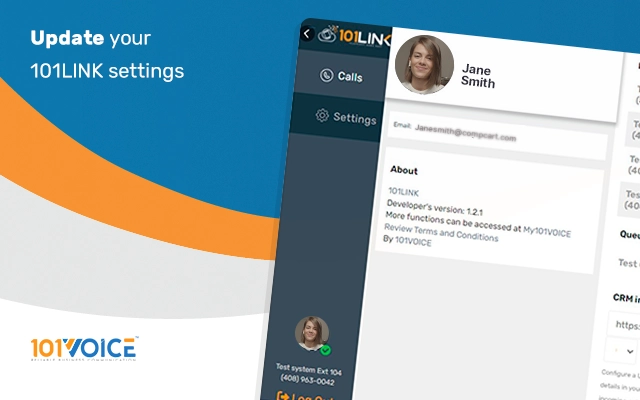
The user interface is designed to be minimal and task-oriented, focusing on call initiation and management without clutter. Navigation is straightforward, with core functions accessible via context menus or a dedicated system tray icon. The workflow centers on highlighting a phone number and clicking a button to trigger the call, making it intuitive for users across technical skill levels. Interaction with the desktop assistant is context-aware, responding to selections made in supported applications and web pages.
Performance details were not specified by the developer. However, based on the application’s lightweight nature (40.2 MB) and its focus on real-time call processing, it is expected to operate efficiently within standard desktop environments. The software does not appear to require extensive system resources, though exact CPU or RAM usage was not disclosed. Stability is assumed to be consistent with typical desktop utilities integrated into telephony systems.
Compatibility & System Requirements
The 101VOICE Desktop Call Assistant is compatible with Windows, Mac, iOS, and Android operating systems. It supports the latest versions of popular web browsers such as Internet Explorer, Chrome, and Firefox. The installation size is 40.2 MB, indicating a compact footprint. The developer did not provide additional system requirements or hardware specifications.
Platform compatibility information is limited to the listed operating systems and browser support. Users should ensure their devices meet the minimum requirements for running the supported operating systems and web browsers. Exact performance behavior under low-resource conditions was not specified.
Pros and Cons
Pros
- One-click calling from any supported application or webpage
- Seamless integration with CRM systems, Outlook, Excel, and web browsers
- Multi-device access across Windows, Mac, iOS, and Android
- Comprehensive call management features including DND, transfers, and call parking
- Free to use with no licensing costs
Cons
- Requires the 101VOICE Cloud telephony system for full functionality
- No public information on system requirements or resource usage
- Limited availability outside of the 101VOICE ecosystem
- Dependence on browser and application compatibility for full feature access
- No visible update history or changelog provided
FAQ Section
Is the 101VOICE Desktop Call Assistant free to use?
Yes, the software is available at no cost. There are no subscription fees or licensing charges associated with its use.
Which operating systems does it support?
The application is compatible with Windows, Mac, iOS, and Android devices.
Can I use it without a 101VOICE Cloud account?
No. The software is designed to work exclusively with the 101VOICE Cloud-based telephony system and requires an active account to function.
Does it work with all web browsers?
It supports Internet Explorer, Chrome, and Firefox. Compatibility with other browsers was not specified.
Is the software secure?
As a desktop application integrated with a cloud telephony system, it relies on the security protocols of the 101VOICE platform. No specific security details were provided by the developer.
Final Thoughts + CTA
The 101VOICE Desktop Call Assistant delivers a focused and efficient solution for professionals who make frequent calls and rely on accurate, rapid dialing. Its one-click functionality across browsers and productivity tools significantly reduces workflow friction. While it is tightly coupled with the 101VOICE ecosystem, its multi-device support and free access make it a compelling tool for sales teams, customer service agents, and administrative staff. The lack of detailed system requirements or performance metrics is a minor limitation, but the core functionality remains robust and practical.
For users already invested in the 101VOICE telephony platform, this tool is a must-have addition to boost daily productivity. Download 101VOICE Desktop Call Assistant now to streamline your calling workflow and eliminate misdialed numbers.
Guides & Tutorials for 101Link Extension for Chrome
How to install 101Link Extension for Chrome
- Click the Preview / Download button above.
- Once redirected, accept the terms and click Install.
- Wait for the 101Link Extension for Chrome download to finish on your device.
How to use 101Link Extension for Chrome
This software is primarily used for its core features described above. Open the app after installation to explore its capabilities.
User Reviews for 101Link Extension for Chrome 0
No reviews found





